

FastCam Scanner: Offline Secure PDF Scanner & Expense Tracker App
FastCam Brings an All-in-One Document Workflow to Android with On-Device Processing
FastCam is designed to help users continue that workflow in one app, with features for multi-page scanning, OCR, PDF creation, page organization, splitting, merging, compression, digital signatures, password protection, viewing, sharing and printing. All in a lightweight, compact app.
GET IT ON Google Play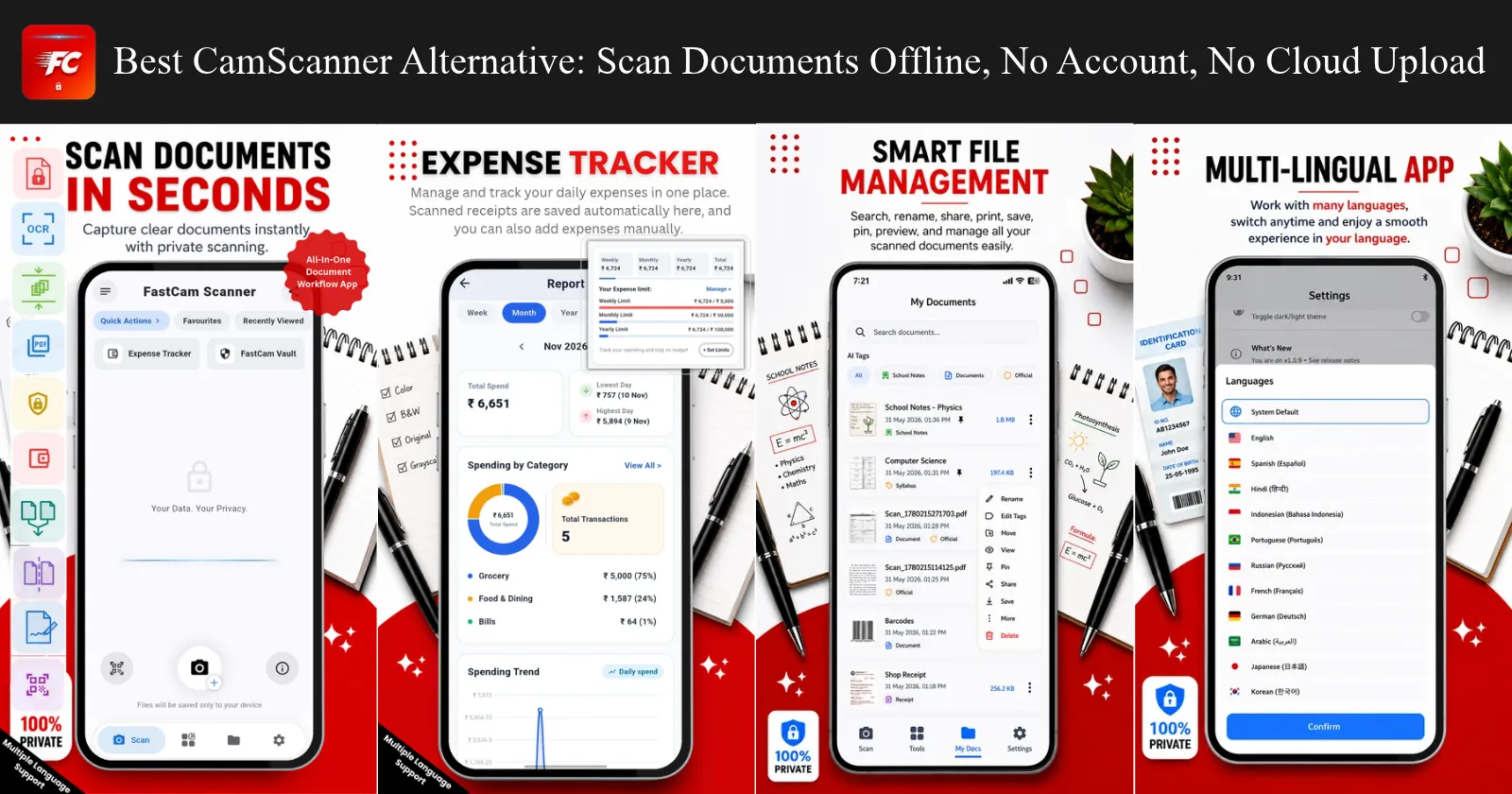
In today’s digital age, scanning documents shouldn't mean sacrificing your privacy. Every time you scan an invoice, bank statement, or personal ID using mainstream document apps, your sensitive files are often uploaded to third-party cloud servers for processing. For privacy-conscious users, freelancers, and small business owners, this creates unnecessary security risks.
FastCam: Secure PDF Scanner was built from the ground up to solve this problem. Designed as a lightweight, 100% offline-first utility for Android, FastCam keeps your documents strictly on your device where they belong.
Why Choose FastCam?
FastCam brings a complete, all-in-one document workflow directly to your smartphone without requiring cloud accounts, logins, or monthly subscriptions.
- Complete On-Device Privacy: Your scans are processed entirely on your phone. There are no mandatory cloud backups, no forced sign-ins, and zero data tracking.
- FastCam Vault & Security: Protect sensitive paperwork using local password protection, PIN locking, and digital signatures.
- Built-In Expense & Receipt Tracker: Unlike standard scanners that only output PDFs, FastCam features an integrated quick expense manager. Snap photos of paper receipts or bills, type manual amounts, and generate structured monthly expense reports instantly.
- Advanced Document Workflow: Edit, compress, split, and merge PDFs on the fly. Extract text using built-in OCR, scan QR codes, and organize your files effortlessly using custom tags and favorites.
- Optimized for Battery & Display: Enjoy a sleek, battery-saving Dark Mode and a true pitch-black AMOLED Theme designed for modern OLED screens.
- Global Accessibility: Fully localized into over 13 languages, ensuring users worldwide can manage their documents in their native language.
Whether you are archiving tax documents, managing business receipts, or signing contracts on the go, FastCam delivers high-performance scanning speed without compromising your digital sovereignty.
Security & Privacy Comparison
| Feature / Capability | FastCam: Secure PDF Scanner | Traditional Online Cloud Scanners |
|---|---|---|
| Primary Processing | 100% On-Device (Offline) | Cloud Server Processing |
| Cloud Account / Login | No (Instant open & scan) | Yes (Required to sync or export) |
| Document Privacy Risk | Zero (Files stay on your phone) | High (Stored on corporate servers) |
| Built-In Expense Tracking | Yes (Instant expense reports) | No (Requires a separate app) |
| Paywalls & Subscriptions | Free / Lightweight Utility | Heavy monthly fees or watermarks |
| Offline Performance | Fully functional without internet | Fails or blocks features offline |